
Rebranding
name, colours, IDs, icons.
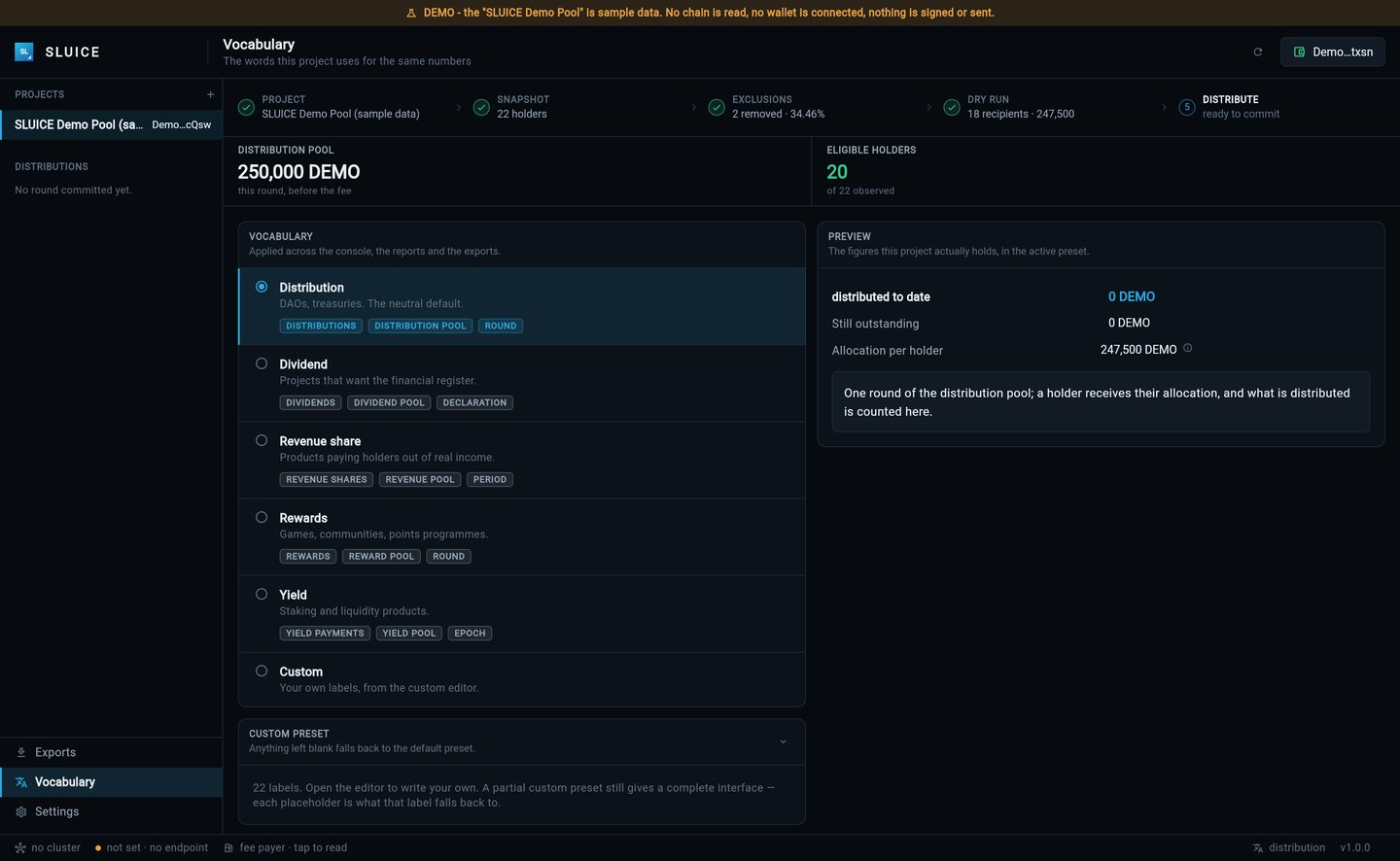
The words your console uses change in Vocabulary without a build. The product name, bundle IDs, icons and colours are compiled in; this page lists every place.
01Words, without a build
Vocabulary → pick a preset or save a custom one (details). This renames rounds, pools and holders across the console and the CSV headers of the exports.
02The product name
| Where | File | What |
|---|---|---|
| Window and task switcher | lib/app/sluice_app.dart | title: 'SLUICE', and the boot screen text |
| Console header | lib/features/admin/console/console_chrome.dart | The 'SLUICE' wordmark and the header mark assets/icon/sluice_icon.png |
| Version shown | lib/app/sluice_version.dart | number = '1.0.0' |
| Android | android/app/src/main/AndroidManifest.xml | android:label |
| iOS | ios/Runner/Info.plist | CFBundleDisplayName |
| macOS | macos/Runner/Configs/AppInfo.xcconfig | PRODUCT_NAME |
| Web | web/index.html, web/manifest.json | <title>, apple-mobile-web-app-title, name, short_name |
Some explanatory sentences in the console also say "SLUICE"; search lib/ for the word after you rename.
03Bundle IDs
The shipped ID is com.sluice.app. Replace it with your own before any store upload.
- Android:
android/app/build.gradle.kts→applicationIdandnamespace; moveandroid/app/src/main/kotlin/com/sluice/app/MainActivity.ktto the matching folder and change itspackageline. - iOS: Xcode → Runner → Signing & Capabilities (writes
PRODUCT_BUNDLE_IDENTIFIERinios/Runner.xcodeproj/project.pbxproj). - macOS:
PRODUCT_BUNDLE_IDENTIFIERinmacos/Runner/Configs/AppInfo.xcconfig.
04Icons
The package ships with the SLUICE product icon: assets/icon/sluice_icon.png (512 × 512) is the console header mark, and the same design is installed as the app icon on every platform. To use your own brand, replace these files with your icon at the same file names and sizes:
| Where | Files |
|---|---|
| Console header mark | assets/icon/sluice_icon.png (or point lib/features/admin/console/console_chrome.dart at your own file in assets/icon/) |
| Android | android/app/src/main/res/mipmap-*/ |
| iOS | ios/Runner/Assets.xcassets/AppIcon.appiconset/ (keep Contents.json) |
| macOS | macos/Runner/Assets.xcassets/AppIcon.appiconset/ |
| Web | web/favicon.png, web/favicon-64.png, web/icons/ |
A generator such as flutter_launcher_icons can write all platform sizes from one square image. Then run flutter clean and rebuild; an installed app may keep its old icon until it is reinstalled.
05Colours
SLUICE's palette is in lib/app/sluice_theme.dart: ground, surfaces, text and the accent #29A9E0 (channel blue), with accentPressed and accentSoft next to it. The shared terminal components read it from there (lib/app/terminal/). Keep text colours readable against their backgrounds when you change them.